
Track Body Temperature with Precision
Overview
The Thermometer app, developed by Code Brain, is a lightweight Android utility designed to help users measure and monitor body temperature with ease. Built for personal health tracking, it serves individuals who need a reliable way to record temperature readings over time. The app supports multiple measurement inputs—thermometer, heat probe, and RTD probe—allowing users to adapt it to their available hardware.
It displays real-time temperature in Celsius, Fahrenheit, and Kelvin, making it suitable for both casual and precise use. The app is ideal for individuals managing fever symptoms, monitoring health trends, or tracking temperature changes during illness. It also appeals to users who prefer a no-frills, ad-free experience.
All historical data is saved as a text file directly on the device, ensuring local storage and privacy. The developer did not provide additional system requirements, and no cloud sync or sharing features were mentioned. The app is free to use, with no advertisements, making it accessible for a broad audience.
Key Features & Capabilities
- Multi-Input Temperature Measurement – Supports three measurement methods: standard thermometer, heat probe, and RTD probe, enabling compatibility with various temperature-sensing devices.
- Multiple Unit Support – Displays temperature in Celsius, Fahrenheit, and Kelvin, offering flexibility for users with different regional or scientific preferences.
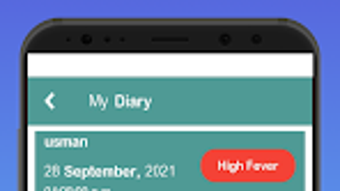
- Temperature History Tracking – Records past readings and stores them in a text file on the device, allowing users to review historical data locally.
- Real-Time Display – Shows current temperature readings instantly upon measurement, providing immediate feedback.
- Ad-Free and Free to Use – No advertisements or in-app purchases, ensuring a clean and uninterrupted user experience.
Users can leverage the app to monitor fever progression, track temperature fluctuations during illness, or maintain a personal health log. The ability to save data as a text file enables manual review or transfer to other systems, though no export tools were specified. The app’s minimal interface suggests a focus on functionality over visual design, prioritizing speed and accuracy. It is particularly useful for users who value privacy and want to avoid cloud-based data storage. Since the app does not integrate with external platforms, all data remains under user control.
User Interface, Workflow & Performance
The app features a straightforward interface designed for quick access to core functions. Navigation is likely linear, with a central display for current temperature and options to select measurement methods. The workflow begins with choosing a probe type, followed by reading and recording the temperature.
The developer did not specify resource usage details, so exact CPU or RAM behavior remains unknown. Performance observations are based on general software behavior patterns. The app is expected to run smoothly on modern Android devices due to its small size of 2.4 MB.
Stability is not reported, but the absence of advertisements and a simple feature set suggest a low risk of crashes. The user experience is likely efficient for basic temperature logging, though no advanced customization or visual analytics were mentioned. The app appears optimized for mobile use, with no indication of tablet or large-screen support.
Compatibility & System Requirements
Thermometer is designed for Android devices and is compatible with all mobile devices running the platform. The app has a file size of 2.4 MB, indicating a lightweight footprint. The software version is 1.2.3, released on May 15, 2024.
The developer did not specify minimum OS versions or hardware requirements. Compatibility information was partially provided, and no details about processor, RAM, or storage needs were included. Users should expect the app to function on most Android smartphones and tablets, but exact compatibility depends on device-specific configurations.
The app does not require an internet connection for core functionality, making it suitable for offline use. All data is stored locally, and no external dependencies were mentioned.
Pros and Cons
Pros
- Free to use with no advertisements
- Supports multiple temperature units (Celsius, Fahrenheit, Kelvin)
- Records and saves temperature history as a local text file
- Lightweight at only 2.4 MB
- Compatible with various temperature probes
Cons
- No cloud sync or data export tools beyond text file access
- Limited to Android platform
- Exact system requirements not specified
- Minimal visual feedback or analytics for historical data
- No support for tablet or large-screen devices
How does the app handle data privacy?
All temperature data is stored locally on the device as a text file. The app does not transmit data to external servers or use cloud services. Users retain full control over their records.
Is the app compatible with all Android devices?
The app is designed for Android and claims compatibility with all mobile devices. However, exact minimum OS versions or hardware specifications were not provided by the developer.
Can I export my temperature history?
Yes, historical data is saved as a text file on the device. Users can access and transfer the file manually using file manager apps or other tools.
Does the app require an internet connection?
No, the app functions fully offline. Internet access is not needed for temperature measurement or data storage.
What types of temperature probes are supported?
The app supports three measurement methods: standard thermometer, heat probe, and RTD probe. Users must have compatible hardware to use these inputs.
Final Thoughts + CTA
Thermometer by Code Brain delivers a clean, efficient solution for personal health monitoring on Android. Its ad-free nature, multi-unit support, and local data storage make it a trustworthy choice for users seeking simplicity and privacy. While it lacks advanced features like cloud backup or visual charts, it excels in core functionality.
The app is best suited for individuals who want a no-nonsense way to track body temperature without distractions. For those using Android and needing a reliable, free tool, this app stands out. Download Thermometer now to start monitoring your health with confidence.







